

Effective January 1, 2024, a new legal provision requires the inclusion of the “property tax ID” in all lease agreements subject to the law of July 6, 1989. Specifically, all lease agreements must now include this 12-character numeric identifier, with the first two digits corresponding to your department number.
Why has the property tax ID become mandatory?
The mandatory inclusion of this tax identification number in residential leases is intended to modernize and streamline contractual and administrative relationships between landlords, tenants, and government agencies.
In particular, this will make it easier to identify rental properties, conduct audits, and cross-check information among tax authorities, the CAF, and other agencies.
Recevez les dernières actualités directement dans votre boîte mail.
Which housing units are affected?
This applies to all rental properties—whether unfurnished or furnished—used as a primary residence. Whether you are a landlord or a real estate agent managing rental properties, you must include this identifier on all lease agreements for unfurnished or furnished properties used as a primary residence.
Leases Not Affected
However, please note that this new requirement does not apply to:
- vacation rentals,
- mobility leases
- commercial leases
- roommate arrangements formalized through multiple contracts between each roommate and the landlord
- other agreements for temporary occupancy
Mandatory in 2028 for the French overseas departments and territories
For French overseas departments and territories such as Martinique, French Guiana, Réunion, and Mayotte, this requirement will not take effect until January 1, 2028.
Where can I find the property’s tax ID number?
Also known as the “fiscal property identification number, “ this identifier is listed on your property tax bill. It also appears in your personal or business account on the impots.gouv.fr website.
1. Log in to the impots.gouv.fr website.
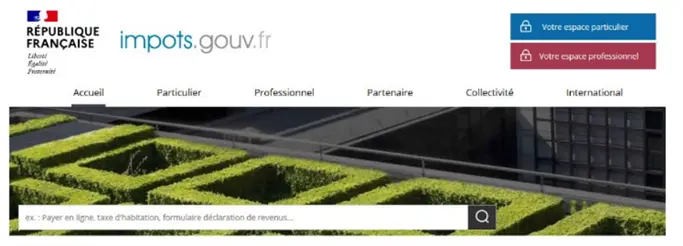
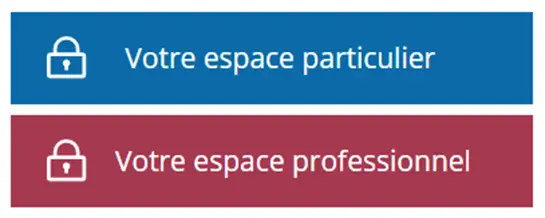
2. Depending on your situation, log in to your personal or business account.
If you have lost your tax ID number or forgotten your password, follow these instructions.
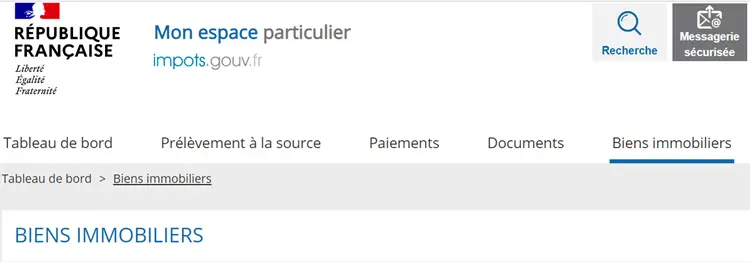
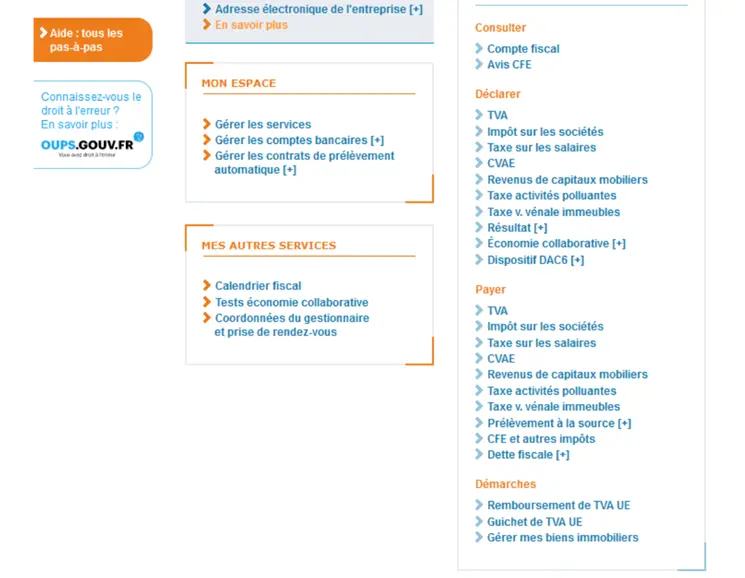
3. Click the corresponding tab
➡️ For the “Personal” section, select “Real Estate.”
➡️ For the professional section, select “Procedures” and then “Manage My Properties”
4. Go to the “View” section for the property in question
If you own multiple properties, be sure to select the one related to your request. To avoid any errors, please verify that you are entering the tax ID for the residence itself, not for any outbuildings (basement, parking space, etc.).
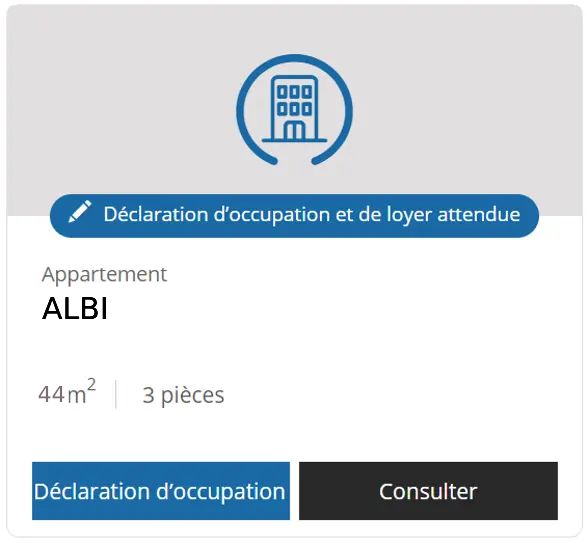
You’ll find your home’s tax ID at the top of the description 👇 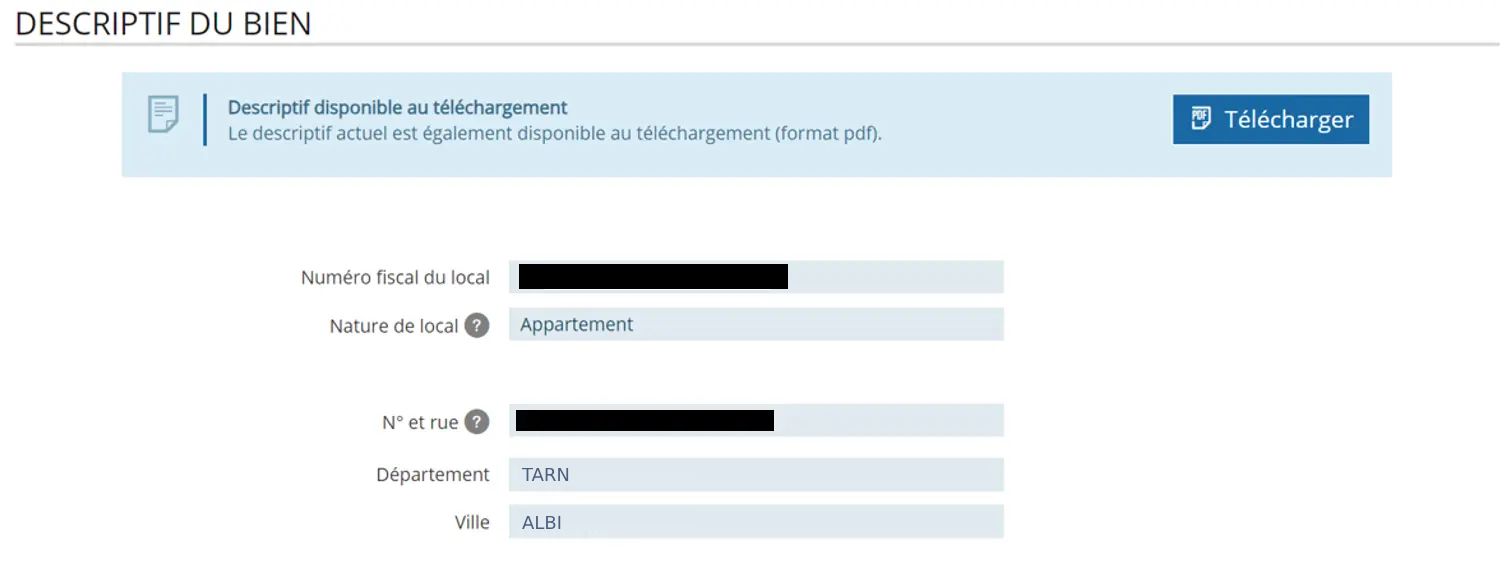
5. Download the description
You can now download the property description and send it to your property manager. If your property is managed by L’Agencerie, please email it to us at
Retrieve Your Tax ID Number or Password
If you are unable to access your Personal Account or Business Account, here are the steps to follow to easily gain access.
How to Retrieve Your Tax ID Number If You Lose It
If you’ve forgotten or misplaced your tax ID number, you can easily retrieve it with just a few clicks from your account on impots.gouv.fr.
- Go to impots.gouv.fr and click on “Your Personal Account” or “Your Business Account,” depending on your situation
- In the “Help” section at the top right of the screen, click on the question “Where can you find your tax ID number?”
- Click “Receive your tax ID number by email”
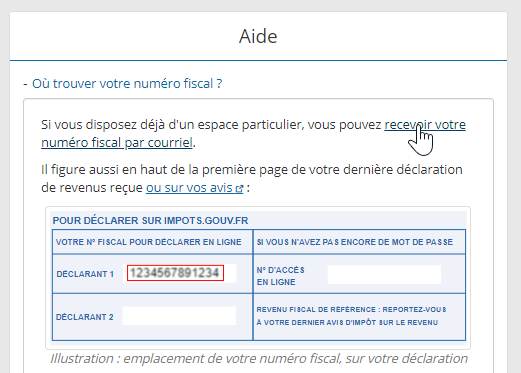
Then all you have to do is fill in the following:
- The email address you used to create your account
- Your date of birth
- The CAPTCHA code
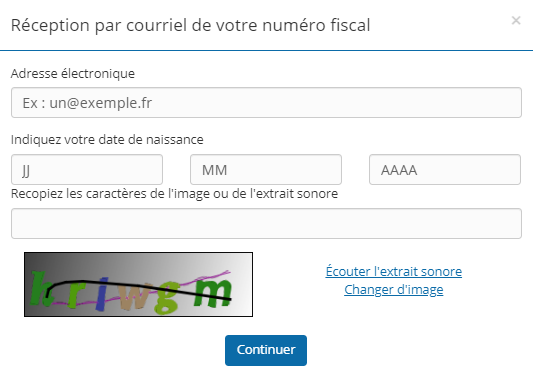
A confirmation code will be sent to you via text message. Once you enter it, you will receive your tax ID number by email. You can then log in to your account using that number.
Reset Your Password If You’ve Forgotten It
If you can no longer log in because you’ve forgotten your password:
- Enter your tax ID number and click “Continue”
- In the “Help” section in the upper-right corner, click “Forgot your password?”
- Then click on “Reset your password in just a few clicks”
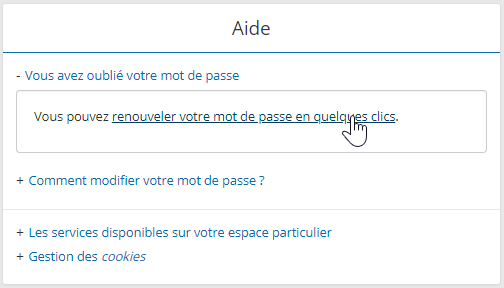
Just as with retrieving your tax ID number, all you need to do next is:
- Enter your tax ID number, date of birth, and the CAPTCHA code
- Next, enter the verification code you received via text message
- Finally, click the activation link you received by email to set a new password
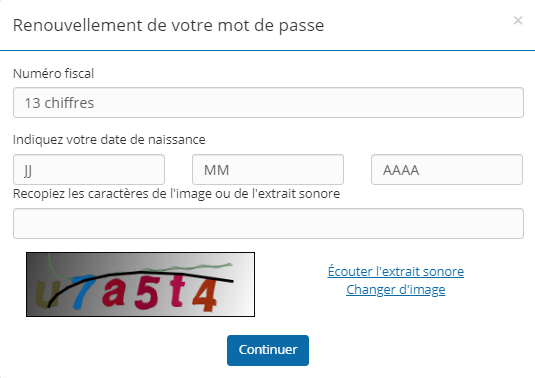
Your password will then have been successfully reset!
Need help managing your leases?
L’Agencerie makes your life easier! With our rental management services, you can focus on other projects with complete peace of mind.
Our real estate agencies are here to assist you with:
- Comprehensive and Transparent Administrative Management
- Technical support from trusted professionals and craftsmen
- A dedicated contact person who is easy to reach
- Financial peace of mind with a guarantee against unpaid rent
Contact us and take advantage of our expertise to make property management easier for you!
– L’Agencerie